
Independent information guide · Not the official operator
Tashan Win Register: Account Requirements and Signup Problems
A Tashan Win register page asks you to create a new account. Before submitting it, check who receives your details, which terms apply and whether you are eligible to use the service.
The current registration form and its exact requirements are not verified here. This guide explains how to assess a signup page, handle form errors and avoid creating account problems that become harder to resolve later.
Registration and Login Serve Different Purposes
Registration creates a new account. Login gives access to an account that already exists.
If you previously registered and cannot sign in, start with account recovery. Creating another account may separate you from your earlier records and can conflict with a service’s account rules.
A message saying “number already registered” also deserves checking. It may indicate that you have an existing account, entered the wrong number or are using a service you did not intend to visit.
Check Eligibility Before Entering Details
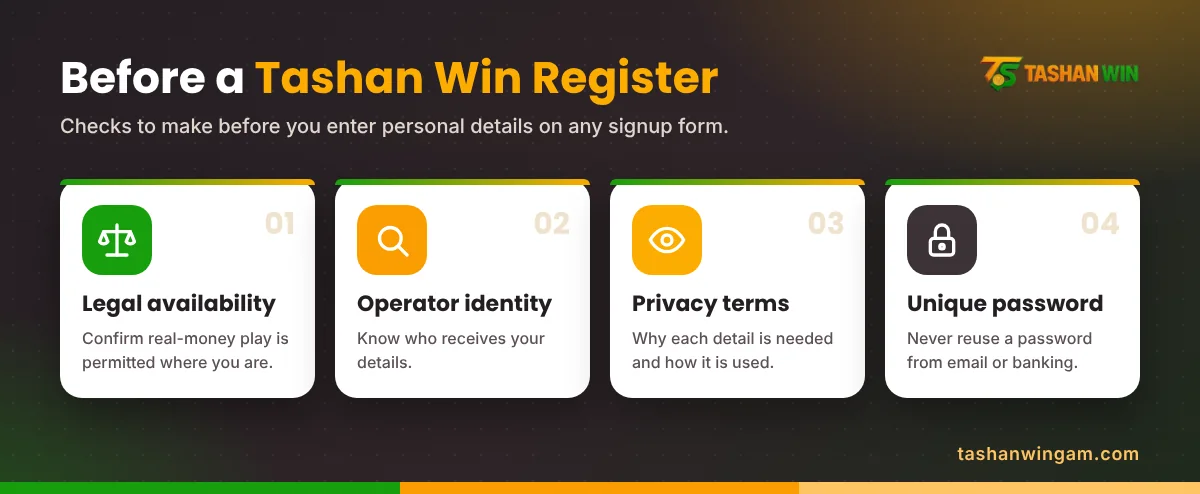
An available signup form does not establish that a service is lawful for your location. India’s online money-gaming restrictions are relevant to real-money offerings and their promotion.
Read the service’s eligibility and age terms. Do not assume that an age declaration settles every legal requirement.
Also look for a named operator, privacy information and a complaint route. If the form requests identity documents before explaining who operates the service, pause before uploading anything.
This information page does not establish a verified registration destination or confirm permission to participate.
What Information Might a Form Request?
A signup form may request a mobile number, username, password or verification code. Those are general examples, not confirmed Tashan Win requirements.
Provide only information that the documented process requires and that you are comfortable sharing with the identified operator. Avoid using a borrowed phone number or another person’s identity.
An invitation-code field needs the same care. Check whether it is optional, what it changes and whether any promotional conditions apply.
Never invent details just to make a form accept the submission. Incorrect contact information can make later recovery difficult.
How to Review the Registration Process
Where a verified service is lawfully available, use the form’s actual instructions:
- Confirm the website address and operator.
- Read the account, eligibility and privacy terms.
- Identify which fields are required.
- Enter accurate information that belongs to you.
- Complete a verification step only if the documented form requests > it.
- Check the result before submitting the form again.
Save the account identifier and a copy of relevant terms. Store the password privately in a suitable password manager.
No registration fee, mandatory deposit, welcome bonus or completion time is confirmed in this guide. A request to send money to an individual for “account activation” needs independent verification.
Choosing a Password You Can Safely Keep
Use a password that is unique to this account. Reusing your email or banking password creates unnecessary exposure if one service is compromised.
Do not send the password to a friend, referral agent or support contact. Someone helping with a form can explain the fields without knowing your credentials.
Check saved-password suggestions before accepting them. A browser may offer details from an older or similarly named website.
Common Registration Problems
The Form Says the Number Is Already Used
Confirm the number and check whether you already have an account. Use an established recovery option instead of repeatedly trying new usernames.
If the number is yours but the account is unfamiliar, document the message and seek a verified support route. Do not claim an account you cannot establish as yours.
A Verification Code Does Not Arrive
First confirm that the form actually uses phone verification and that the number was entered correctly. Check reception and any displayed resend instructions.
Do not keep requesting codes without reading the response. A code sent for a different account or action should not be entered into the registration form.
The Page Returns an Error
Record the message, time and stage at which it appeared. Reload only after checking whether the first submission already succeeded.
Trying again without checking can create confusion about whether an account exists. A clear error record is more useful than several different attempts with changed details.
After a Successful Submission
Check the confirmation carefully and retain your account identifier. Review any available security and privacy settings before adding further information.
A successful signup does not guarantee an advertised reward or establish that a bonus is withdrawable. Promotional eligibility and withdrawal conditions need their own written terms.
If the account shows an unfamiliar balance, do not assume it is money you can receive. Ask what the balance represents.
Frequently Asked Questions
Is a mobile number required to register?
The current form has not been verified. Follow documented requirements rather than assuming that every version uses the same fields.
Is an invitation code compulsory?
No compulsory invitation-code requirement is established here. Check whether the actual form and terms describe it as required or optional.
Can I create another account after forgetting my password?
Start with recovery for the original account. A second signup may complicate ownership, records and compliance with account rules.
Does registration include a bonus?
No active welcome offer is confirmed. Read the current eligibility, expiry and withdrawal conditions for any advertised reward.
Should I send my OTP to support?
Keep verification codes private. Use them only for the action you requested through a verified process.
Keep Your Account Details Consistent
For Tashan Win registration, the main checks are identity, eligibility and accurate information. If the service or form cannot be verified, avoid submitting personal documents or paying someone to complete signup for you.